Wellness guide cryo
cryo
lounge.
Step 1 — Start your session
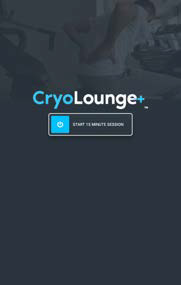
- Press Start to begin your session.
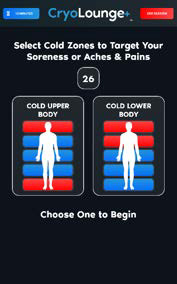
- Choose one of the preset programs — Cold Upper Body or Cold Lower Body.
Step 2 — Pick your zones
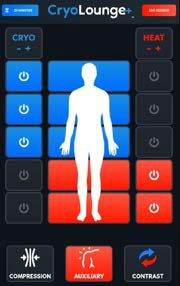
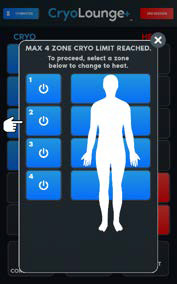
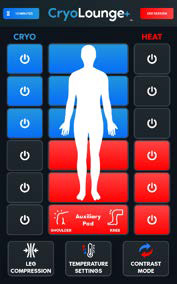
- Select the zones you want for heat or cold therapy — up to 4 cold zones at a time.
- If you select more than 4, you'll be asked to switch one of your zones to cold or heat, depending on your session selections.
Step 3 — Compression & temperature
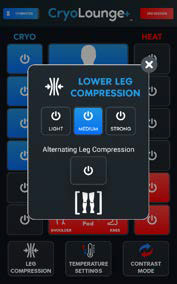
- Leg Compression — activates the compression air bags on your legs — choose light, medium or strong, or alternating compression.
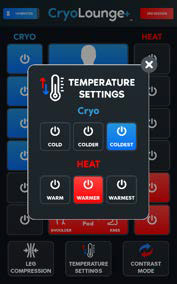
- Temperature Settings — adjusts the cold or heat level for your selected zones.
Step 4 — Contrast mode
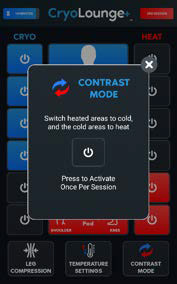
- Contrast mode switches your selected areas from cold to heat (and heated areas to cold).
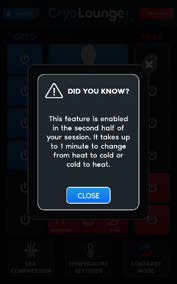
- It's available in the second half of your session only, and can be used once per session.
- Allow up to a minute for the change from heat to cold or cold to heat.
Step 5 — Auxiliary pad
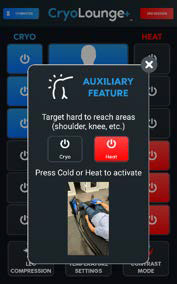
- Use the Auxiliary Pad to wrap and treat specific spots — elbows, shoulders or knees — with either cold or heat therapy.
- Press Cold or Heat on the Auxiliary Feature screen to activate it.
Please follow all club signage and staff directions.